CTspotter458, 06 March 2014, 17:22
How does one do a selective color on photoshop???? Also, how do i blur out the licences plates?
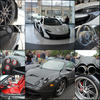
M_Dachis, 06 March 2014, 17:28
CTspotter458 wrote:
How does one do a selective color on photoshop???? Also, how do i blur out the licences plates?
I'm not sure about what you mean in ''selective color'', but if you want to blur things use the blur tool
![[http://cdn5.psdvault.com/img/2011/12/image2.png]](http://cdn5.psdvault.com/img/2011/12/image2.png "http://cdn5.psdvault.com/img/2011/12/image2.png")
Last modified by M_Dachis, 06 March 2014, 22:29

GTRJacko, 06 March 2014, 18:21
For selective colouring, this is the way i use most of all.
Duplicate the layer, make sure you have the duplicate layer highlighted, then select 'Black and White' under Image/Adjustments/Black and White. Then use the eraser tool to recolour in the area of which you want recoloured.
As for deletion of licenseplates, i usually use Polygonal Lasso tool to draw around the perimeter of the licenseplate, then either:
1) Select a Pixelate filter under Filter/Pixelate/Mosaic to pixelate the plate out, or
2) Copy that highlighted area by right clicking and selecting 'Layer via Copy'. Then i use Blur or Smudge tool to edit the licenseplate out.
Hope this helps!
Duplicate the layer, make sure you have the duplicate layer highlighted, then select 'Black and White' under Image/Adjustments/Black and White. Then use the eraser tool to recolour in the area of which you want recoloured.
As for deletion of licenseplates, i usually use Polygonal Lasso tool to draw around the perimeter of the licenseplate, then either:
1) Select a Pixelate filter under Filter/Pixelate/Mosaic to pixelate the plate out, or
2) Copy that highlighted area by right clicking and selecting 'Layer via Copy'. Then i use Blur or Smudge tool to edit the licenseplate out.
Hope this helps!
Last modified by GTRJacko, 06 March 2014, 23:25

CTspotter458, 06 March 2014, 18:23
GTRJacko wrote:
For selective colouring, this is the way i use most of all.
1) Duplicate the layer, make sure you have the duplicate layer highlighted, then select 'Black and White' under Image/Adjustments/Black and White. Then use the eraser tool to recolour in the area of which you want recoloured.
Hope this helps!
1) Duplicate the layer, make sure you have the duplicate layer highlighted, then select 'Black and White' under Image/Adjustments/Black and White. Then use the eraser tool to recolour in the area of which you want recoloured.
Hope this helps!
Thank you!!!!
GTRJacko, 06 March 2014, 18:25
CTspotter458 wrote:
GTRJacko wrote:
For selective colouring, this is the way i use most of all.
1) Duplicate the layer, make sure you have the duplicate layer highlighted, then select 'Black and White' under Image/Adjustments/Black and White. Then use the eraser tool to recolour in the area of which you want recoloured.
Hope this helps!
1) Duplicate the layer, make sure you have the duplicate layer highlighted, then select 'Black and White' under Image/Adjustments/Black and White. Then use the eraser tool to recolour in the area of which you want recoloured.
Hope this helps!
Thank you!!!!
Just answered the plate issue too...
No problem!
